

Create your first store
A store is the public page where your buyers will land. Each account can have several stores — one per community you sell access to.
-
From your dashboard, open Stores and click New store.
-
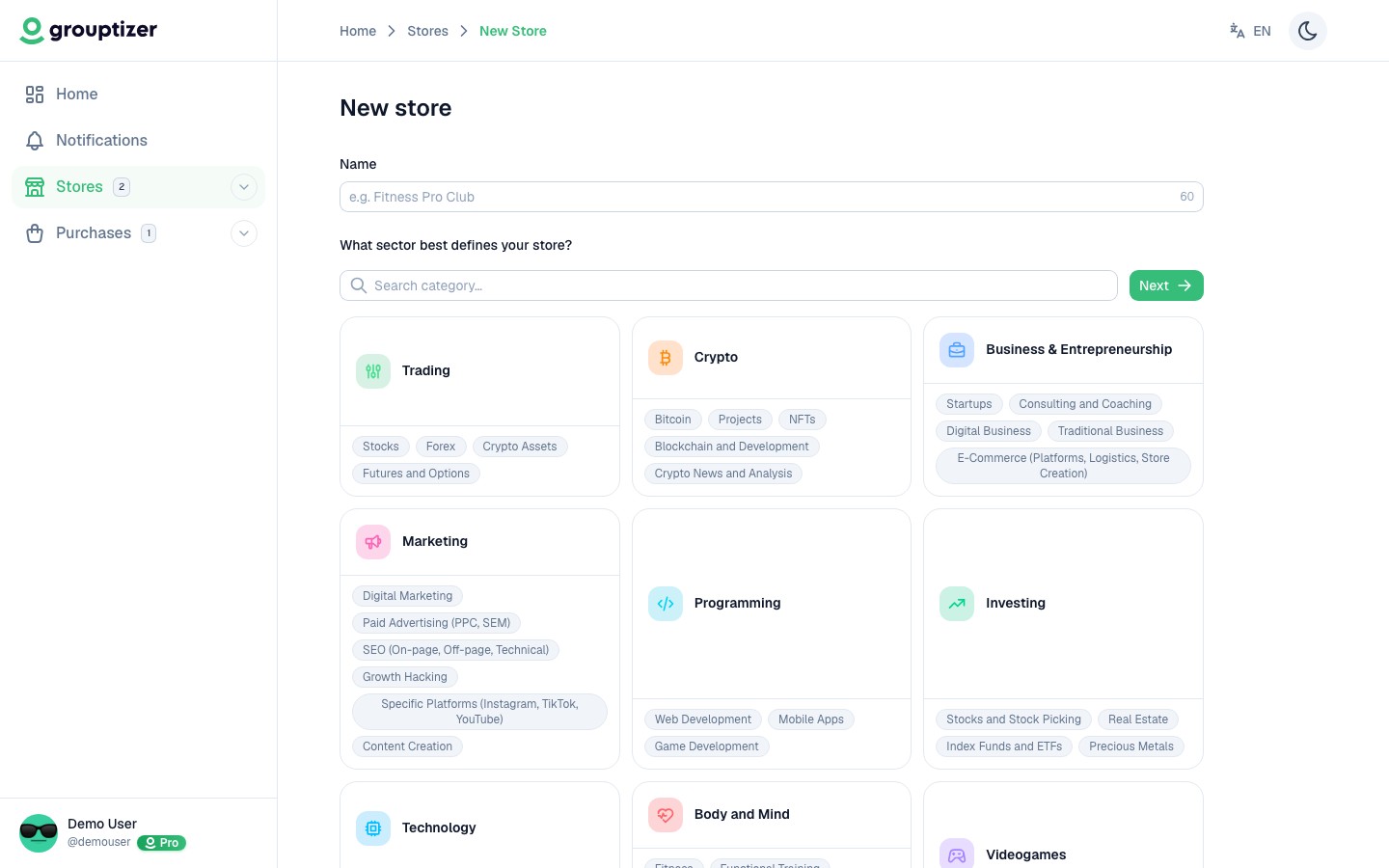
Step 1: type the store name and pick one or more categories. The categories help buyers find your store and let Grouptizer suggest sensible defaults.
-
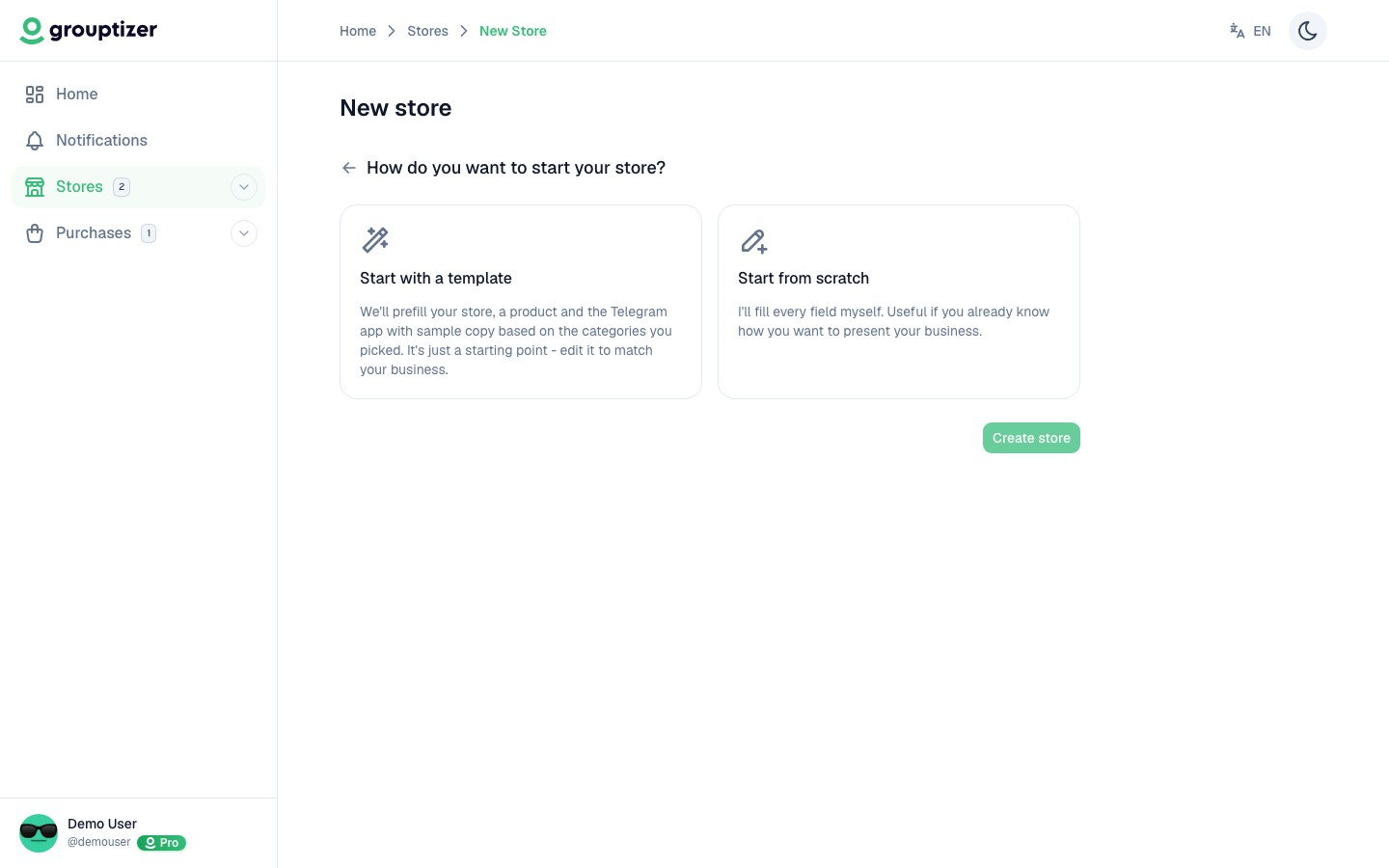
Step 2: choose between two starting points:
- Prefilled template — placeholder text, sections and example content you can edit later. Faster if you want to see the structure before writing your own copy.
- Blank — empty store, you fill everything from scratch.
Once created, you land on the store overview:
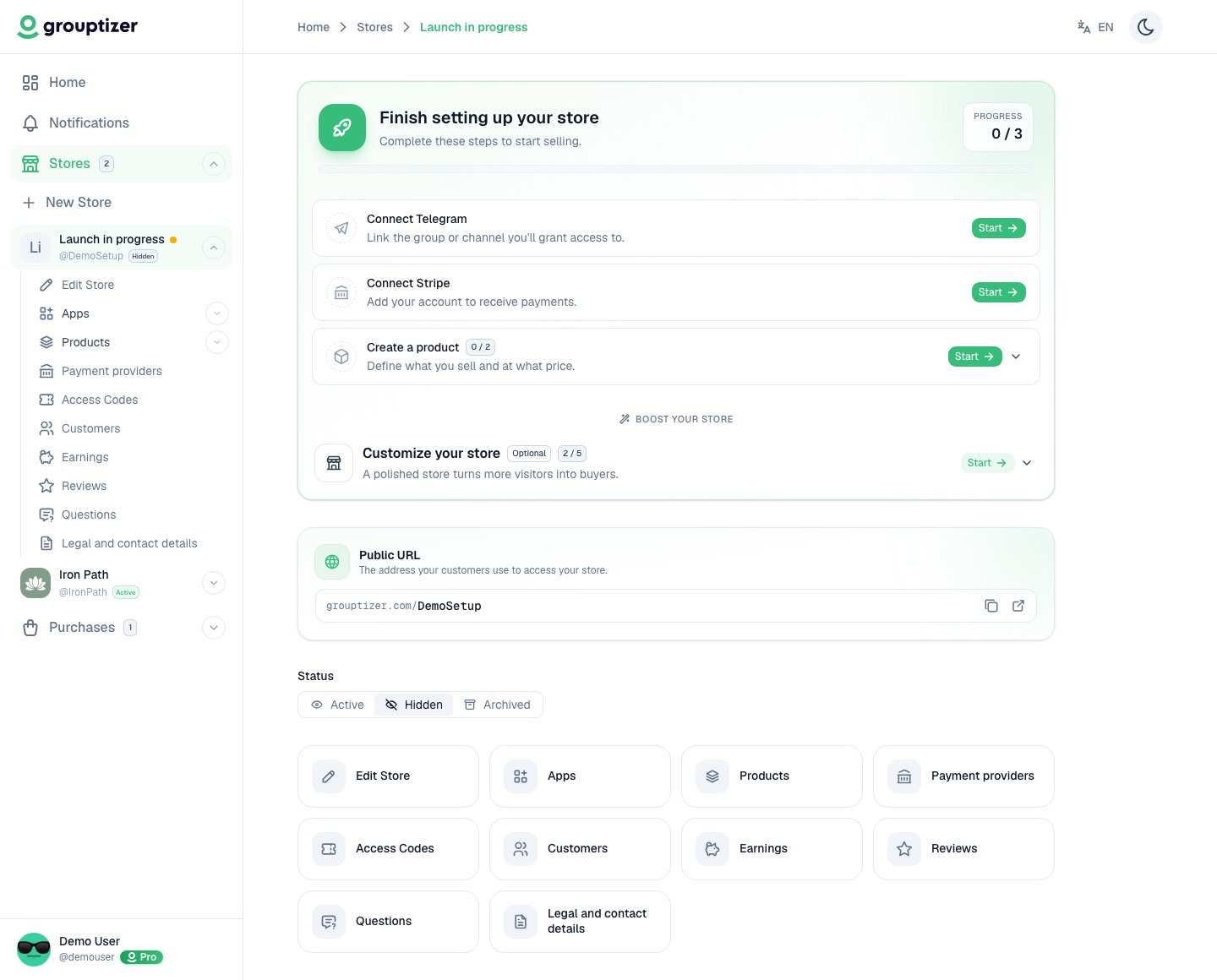
The store is created as a Draft. It’s not public yet, only you can see it. You’ll publish it once Telegram and Stripe are connected and you have at least one product.